This project introduces working with color and texture from an experimental and intentional standpoint. It explores digital ways to utilize color, texture, and general atmosphere to communicate meaning, and how color and texture can be used to shift or emphasize other visual meaning.
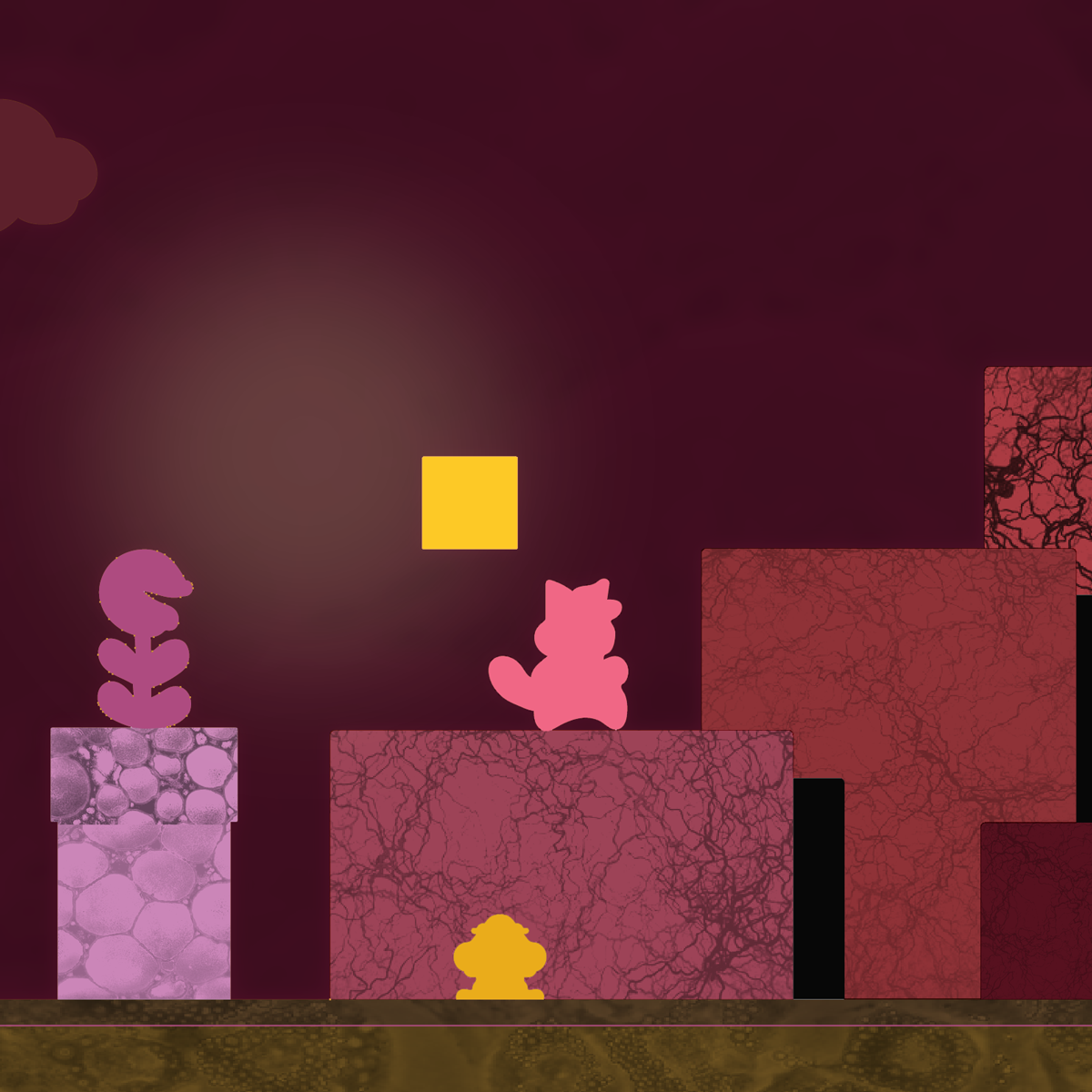
Description
Utilize a pixel-based digital image editor to apply a new color scheme and set of textures to an existing 8-bit game screenshot, in order to explore how colors and textures communicate and convey meaning and to create a remixed, abstract in-game screenshot with a new visual aesthetic. I suggest breaking the starting screenshot into more basic shapes and silhouettes, or utilize the downloadable starting file.
Specifics
Start with a 5 or 6 hue color scheme, and a grouping of 5 to 6 intentionally selected photographic textures
Create two unique compositions using the same starting screenshot, color scheme and set of textures
Project Goals + Outcomes
Technically, this project primarily explores selecting, working with, and applying color and texture via layer processes, selections, and different blending modes.
Creatively, this project explores remix aesthetics and visual design related specifically to color and texture, and shifting meaning via new contexts.
Programs + Tools Used
This project explores pixel-based image editors - such as Photoshop - to work manually recolor and retexture an existing in-game screenshot. Programs should work with raster / pixel graphics, utilize layers and blending modes, and allow for layer selection using a tool like the "magic wand" or manual selection tools.
Suggested Constraints
Only add new textures and colors, and no other components like text, shapes, etc.
Each composition / screenshot should be the same size / dimensions, with a minimum will have a minimum dimension of 1200 pixels on one side
No generative AI or generative fills - try to be intentional with each design choice, including color schemes and photographic textures
Consider photographing your own, found textures for additional intentional design and meaning
Write a 2-3 word Aesthetic Description included in the project comment. Examples could include "Rustic Wooden Mario", "Bloody Meaty Mario", or "Elegant Lace Mario", etc
Suggested Rubric - 8pts Total
Project follows the basic dimension requirements + general instructions - 1pts
Project works with the required number of colors and textures, and no added images, details or text - 2pts
Project exhibits experimentation with color and texture application using multiple layers and layer adjustments - 2pts
Color and textures work cohesively towards a new visual aesthetic - 1 pts
A second version is included that works with the same colors + texture, but somewhat different application - 2pts